

Contents
- 0.1 The Moment It Clicked
- 0.2 Quick Verdict
- 0.3 Real User Insights: Stories, Fears & Patterns People Don’t Say Out Loud about Level Lock+ review
- 0.4 A Quick Personal Reflection
- 0.5 Performance Review: Installation, Connectivity & Battery Life
- 0.6 The Real-World Feeling
- 0.7 Alternatives Worth Considering
- 0.8 FAQ — Real Questions People Actually Ask
- 1 Pros & Cons about Level Lock+ Review
The Moment It Clicked
I’ll be real with you.
The first time I looked at the Level Lock+, I felt that small twist in my stomach — the kind that shows up when you’re about to mess with something that has zero margin for failure. My front door lock has always… worked. Boring, old-school, nothing special — but it never betrayed me.
And the idea of replacing it with a battery-powered smart lock? Man… it felt like trading a loyal old pickup truck for a Tesla running on 3% battery.
My brain went straight to the worst-case scenarios:
What if the battery dies in the middle of the night?
What if HomeKit decides to drop the connection right when I’m rushing out?
What if I raise my wrist to tap my Apple Watch… and nothing happens?
That quiet, invisible trust you build with something you use every single day without thinking.
But then came the moment everything changed.
I came home from a run — sweaty, tired, hands empty. I walked up to the door, tapped my Apple Watch, heard a soft click… and walked right in. No keys. No phone. No codes. Just that tiny, silent magic of Home Key doing exactly what I needed.
It was such a small moment — but it hit harder than it should have.
“Okay,” I thought.
“This. This is what I’ve been looking for.”
And that’s the thing about the Level Lock+: it’s not trying to be loud or futuristic. It doesn’t glow. It doesn’t brag. It just blends in, works quietly, and gives you the exact kind of convenience you want — without feeling like you’re trading sanity for features.
Quick Verdict
If you’re an Apple user who wants the cleanest, most invisible smart lock experience — and you care more about simplicity and aesthetics than endless features — the Level Lock+ is one of the best key-free upgrades you can put on your door.
Is it perfect?
No — and the painful parts will show up later, because they matter.
But when it works (and for most people, it really does), it feels like the future slipping into your home without making a mess of your doorframe.
Top Picks Overview
Aqara Smart Lock U100
Other cool articles I made for you: 1. Schlage vs Yale (2026): Which Legacy Lock Brand Makes the Best Smart Lock
2. Are Smart Locks Safe? A Realistic Look at Hacking, Break-Ins, and Your Real-Life Security
3. The Best Smart Locks That Work with Apple HomeKit & Home Key (An Honest, No-BS Guide)
4. How to Install a Smart Lock (For When It’s Not as Easy as the YouTube Videos
5. Best Smart Locks of 2026
Real User Insights: Stories, Fears & Patterns People Don’t Say Out Loud about Level Lock+ review
Before I ever trusted this lock on my own door, I did what everyone secretly does:
I fell down the rabbit hole.
Reddit. Amazon. HomeKit forums.
Hours of scrolling through real people — their tiny victories, their quiet frustrations, those unfiltered moments no manufacturer ever mentions. And the deeper I went, the more the same three patterns kept appearing like a heartbeat.
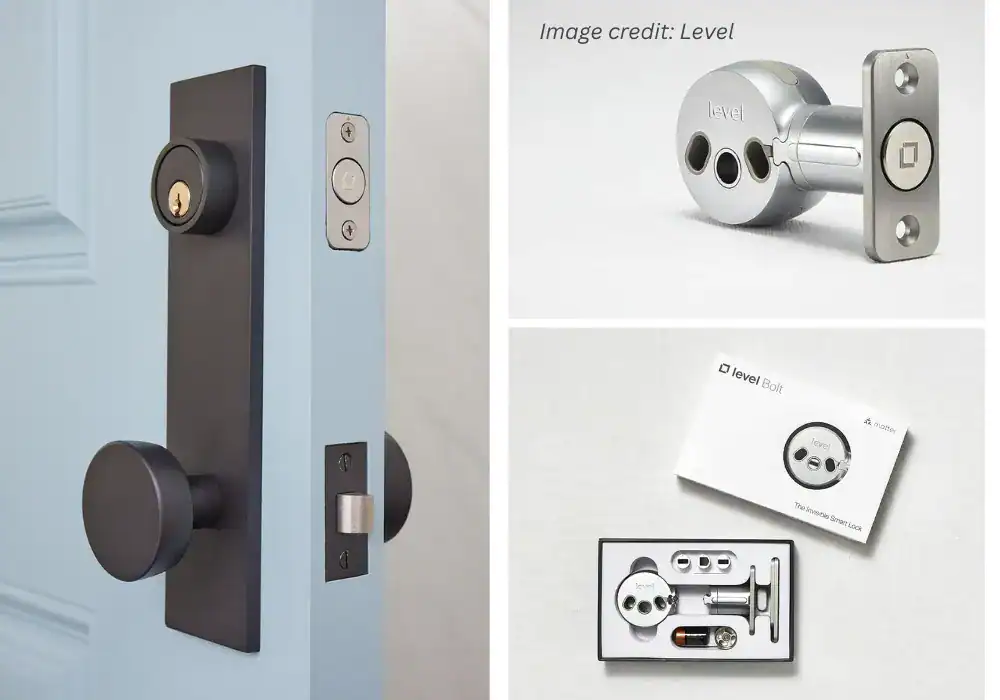
Level Bolt
All the smarts, completely hidden. Keep your home's original look.
Pros:
- A Completely Invisible Design
- Full Apple Home Key Support
- Protects Your Home’s Curb Appeal
- The Ultimate Minimalist Tech
Cons:
- Inconsistent “Touch to Unlock”
- Mechanical sensitivity and errors
- Intermittent HomeKit failures
As an Amazon Associate, I earn from qualifying purchases. When you buy through my links, I may earn a commission — at no extra cost to you.
Why We Picked It
All the smarts, completely hidden. Keep your home's original look.
Who It's For
Design-conscious homeowners who value aesthetics.
Specs & Configuration
Invisible Installation – Retrofit design fits inside your existing deadbolt, keeping your door’s exterior unchanged.;
Easy Setup – Installs in minutes with just a screwdriver;
fits most standard doors (2-3/8"
or 2-3/4"
).;
Long Battery Life – Hidden CR2 battery delivers over a year of use.;
Auto-Lock &
Unlock – Uses geofencing to secure your door automatically when you arrive or leave.;
Secure Construction – 6-stage stainless steel gearbox meets top industry standards.;
Shared Digital Access – Grant and manage keys for family, guests, or service providers via the Level app.
Table Summary: Detailed summary of the Level Bolt — perfect for design-focused homeowners who value invisibility over keypad convenience.
🔥 1. The Fear of Being Locked Out
This one hits harder than any feature list.
People weren’t trying to understand specs.
They were trying to understand safety — their own safety.
Questions like:
“If the battery dies… am I done?”
“What if HomeKit drops when I’m rushing out?”
“I’m terrified of standing outside with groceries and two kids.”
Some posts were almost uncomfortable to read. One person wrote:
“I love the idea, but the thought of a dead battery haunting me once a month gives me chest pain.”
And honestly?
I felt that.
There’s a strange vulnerability in trusting a silent motor hidden inside a piece of metal you don’t even see working.
When the door offers resistance, the lock turns into a full diva: faster drain, motor strain, and sudden percentage drops.
Level tries to soften that fear with the physical key backup (thank God), but the anxiety is still real. Because the mechanism is invisible. And invisible things are harder to trust.
🔥 2. The “When It Works… It’s Magic” Crowd
Then there’s the opposite tribe — the people who sound like their daily routine got easier in a way they didn’t expect.
Short posts. Simple sentences.
But the relief behind them is loud:
“Home Key is stupidly convenient.”
“Didn’t know I needed this until I had it.”
“I run with just my Apple Watch now. Never looking back.”
They’re not bragging.
They’re… calmer.
One person said they stopped checking the door three times every night because they could finally see its status on the phone. Another mentioned how they let the dog walker in without hiding a key under the mat like a low-budget spy.
And what hit me most was how ordinary these stories were.
Not futuristic. Not tech flexing.
Just tiny slices of everyday life becoming softer.
That’s the energy Level is clearly aiming for:
tech that doesn’t feel like tech — it just melts into the background.
🔥 3. The Silent Frustrations (The Ones You Only Notice Too Late)
And then… the third group.
The people who want to love it. They try.
But there’s always that one thing — sometimes tiny, sometimes not — that slowly drives them nuts.
The most common themes?
- Battery dropping fast on misaligned doors
- Bluetooth moments that feel… moody
- HomeKit’s “No Response” ghost showing up like clockwork
- Performance depending heavily on precision installation
One comment summed it up perfectly:
“When it’s working, it’s the best lock I’ve ever used. When it’s not, I want to throw it into a lake.”
And yeah… that duality is real.
Read enough of these stories and you stop seeing the lock as a gadget — and start seeing it as something that can either raise your stress or quietly lower it.
As an Amazon Associate, I earn from qualifying purchases. When you buy through my links, I may earn a commission — at no extra cost to you.
A Quick Personal Reflection
The biggest realization from all these stories?
People don’t want a smart lock.
They want a lock they never have to think about.That’s all.
They want to delete one micro-stress from their day.
Remove one invisible thing from the mental checklist.And honestly?
That’s where the Level Lock+ earns its place — not in the specs, not in the marketing, but in those tiny, forgettable moments where life feels a bit easier.It seems small.
But it’s not.
Performance Review: Installation, Connectivity & Battery Life
This is the part where the lock either earns your trust… or quietly breaks it.
Because here’s the truth nobody tells you:
When a smart lock is sitting in a box, it’s perfect.
When it’s on your door, life happens.
Doors swell, weather shifts, batteries drain, HomeKit gets moody — and suddenly you’re wondering why you ever messed with that old deadbolt that had been loyal for a decade.
So let’s get into what it actually feels like to live with the Level Lock+ every day.
The easy parts, the annoying parts, and the “why didn’t anyone tell me this?” moments.
Installation — Shockingly Simple… If Your Door Is Normal
I’ve installed locks that made me question my life decisions.
This wasn’t one of them.
The Level Lock+ hides everything inside your existing deadbolt footprint.
No chunky keypad.
No visible battery pack.
Nothing screaming, “look at me, I’m smart tech.”
It’s quietly elegant — but that elegance comes with a catch:
Your door needs to be aligned.
Not “mostly aligned.”
Aligned aligned.
If your door sticks even a little, here’s what happens:
- The motor struggles
- You hear a longer, strained grinding sound
- That grinding eats battery
- You start checking the battery percentage like a nervous parent watching a baby monitor at 2 a.m.
As an Amazon Associate, I earn from qualifying purchases. When you buy through my links, I may earn a commission — at no extra cost to you.
Someone online summed it up perfectly:
If your door closes cleanly?
Installation feels almost unfairly easy.
Ten minutes.
Maybe fifteen if you stretch the moment and sip coffee between screws.
Connectivity — When It’s Good, It Feels Effortless. When It’s Not… Oof.
Let me start with the good news.
Home Key is flawless.
That tiny NFC tap works even when your phone is dead.
Even when Wi-Fi is down.
Even if the house is offline.
Learn more about Apple Home Key
It feels like having a VIP pass to your own front door.
But the app experience?
The HomeKit side of things?
That’s where reality shows up.
The same three issues kept appearing everywhere — and I felt them too:
1. “No Response” Ghosts
This one drives people insane.
You open the Home app and boom:
No Response.
And there you are… restarting Bluetooth, refreshing the app, walking closer to the door like some kind of smart-home whisperer.
Usually it’s:
- Distance from the HomePod/Apple TV
- Thick walls
- HomeKit being… HomeKit
Not entirely Level’s fault — but still your problem to deal with.
2. Bluetooth Mood Swings
Most days? Smooth. Other days? It behaves like it woke up on the wrong side of the bed.
You pull up expecting instant unlock… and it hesitates.
Not broken — just slow enough to make you sigh loud enough for the neighbors to hear.
3. Automations That Work — When They Want To
Geofencing works, but it’s nowhere near the consistency of Schlage’s auto-unlock.
If you want magic every single time you pull up, this isn’t the automation champion.
But if your routine is mostly:
- Home Key tap
- Siri
- Manual lock/unlock from the inside
…it delivers exactly what you want.
As an Amazon Associate, I earn from qualifying purchases. When you buy through my links, I may earn a commission — at no extra cost to you.
🔋 Battery Life — The Most Overhyped and Under-Discussed Issue
Let’s cut straight to it:
Battery life on the Level Lock+ is great if your door is properly aligned. Otherwise? It becomes a diva.
People with perfect door alignment report:
- 6–9 months
- Sometimes a full year
- Quiet motor
- Stable performance
People with sticky doors report:
- 2–3 months
- Sudden drops
- Motor strain
- Anxiety levels comparable to a horror movie trailer
One Reddit comment captured it too well:
“I replaced the batteries more than I replaced my kid’s school snacks.”
But here’s the part reviewers often skip:
It uses CR2 batteries.
Not AA.
Not AAA.
Not the ones you always have lying in a drawer.
These CR2s saved me from the “battery anxiety” a lot of Level owners complain about.
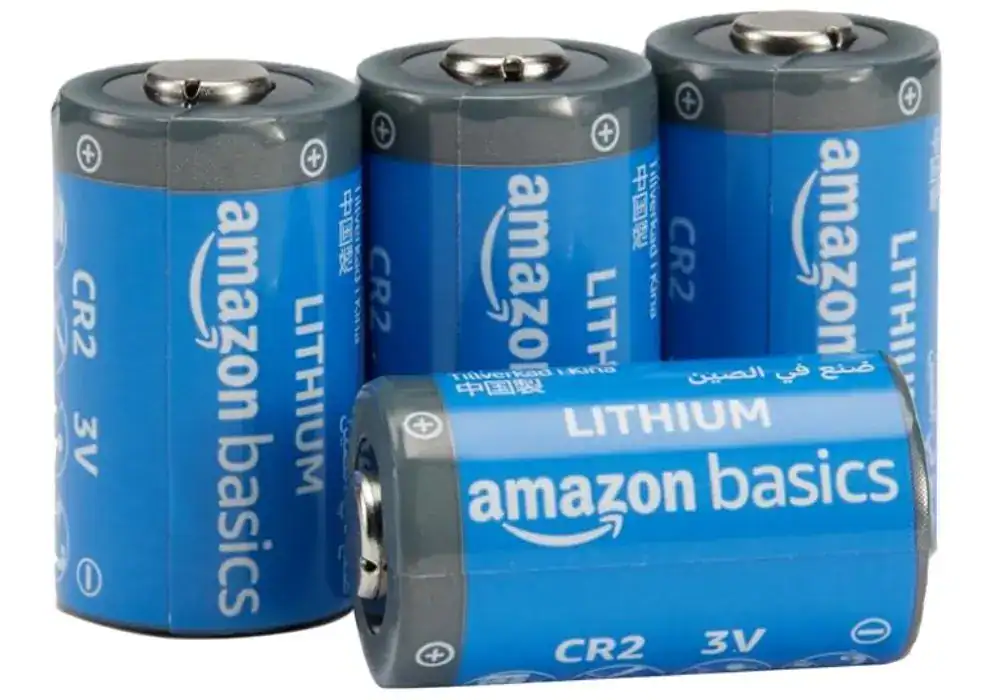
CR2 Batteries
Pros:
- - Long-lasting power for high-drain devices
- - Works reliably in hot and cold environments
- - Great value compared to name brands
- - Low self-discharge, stays fresh in storage
- - Fits correctly in most CR2-compatible devices
Cons:
- - Not rechargeable
- - Packaging isn’t resealable
- - Some users report shorter life vs premium brands
As an Amazon Associate, I earn from qualifying purchases. When you buy through my links, I may earn a commission — at no extra cost to you.
CR2s last long, but:
- They’re pricier
- Harder to find
- Not a convenience-store item
- And you’ll want backups just in case
The Real-World Feeling
Here’s something I didn’t expect:
The quieter the lock is, the harder it is to trust in the beginning.
With most smart locks, you hear a loud chunk-clunk and think, “Okay. That’s locked.”
But with the Level Lock+, the sound is soft.
Almost delicate.
It feels like it shouldn’t be strong enough — even though it is.
It takes about two weeks before your brain relaxes and thinks,
“Yep, it’s locked. I’m good.”
After that?
You stop noticing it.
And honestly, that’s the entire point.
Alternatives Worth Considering
There’s something I wish someone had told me earlier in my own research:
A smart lock doesn’t exist in isolation.
Your climate, your door alignment, your smart home ecosystem, your Wi-Fi layout, your tolerance for tech headaches — all of that matters way more than a spec sheet.
So before I lock in my verdict on the Level Lock+, it’s worth walking through the three alternatives that kept appearing in every forum thread, every Amazon review spiral, every Reddit debate at 1 a.m.
These are the locks people compare right before they hit “Buy Now.”
And the truth?
Each one solves a specific pain the Level doesn’t handle as well.
I discovered this the same way most people do:
slowly, painfully, one frustrated comment at a time.
1. Schlage Encode Plus
If you want to see how the Schlage Encode Plus stacks up, here’s the full review – Full Schlage Encode Plus Review
If the Level Lock+ is subtle, the Schlage Encode Plus is its opposite — a tank with Apple Home Key.
✅ Why people switch to Schlage:
- Weather doesn’t scare it
- No Bluetooth mood swings
- Built-in Wi-Fi (no bridge required)
- Keypad included — huge for kids, guests, and Airbnb
- Apple Home Key support
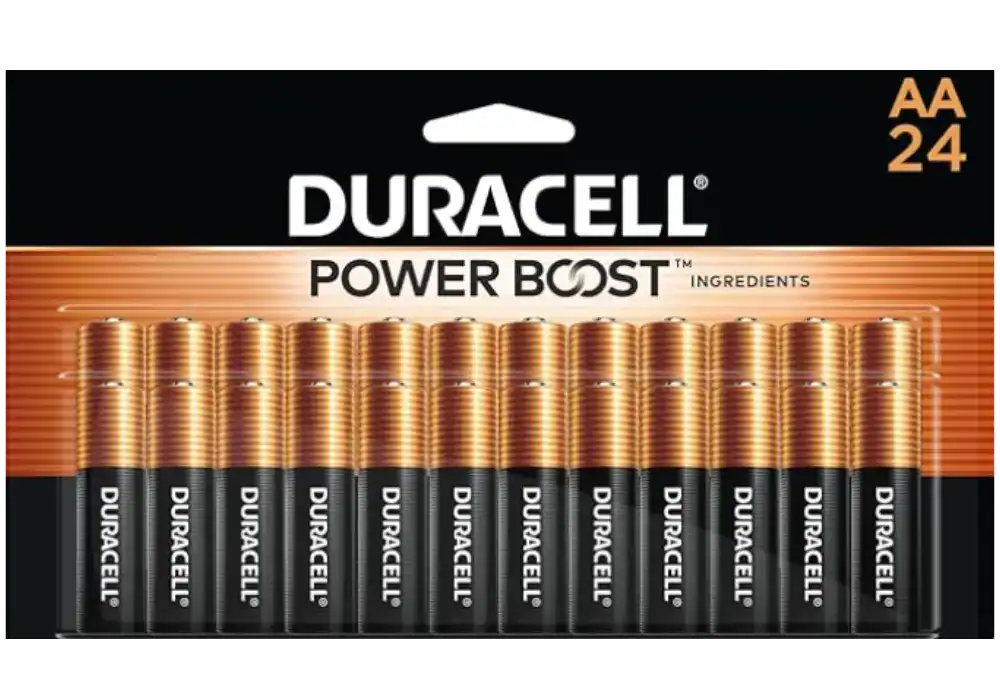
- Uses AA batteries (cheap, everywhere)
As an Amazon Associate, I earn from qualifying purchases. When you buy through my links, I may earn a commission — at no extra cost to you.
❌ Why people switch away from Schlage:
- It looks… big
- It doesn’t “disappear” into the door
- More visible = less aesthetic
- Installation isn’t as “clean” as Level’s
- Some units have electronics that don’t love humidity
😎 Who Schlage is for:
Anyone who values reliability over aesthetics — especially homes in harsh climates or with doors that haven’t closed perfectly in years.
If the Level Lock+ is the sleek Apple-style minimalist gadget,
Schlage is the dependable friend who drives a sturdy truck and shows up early.
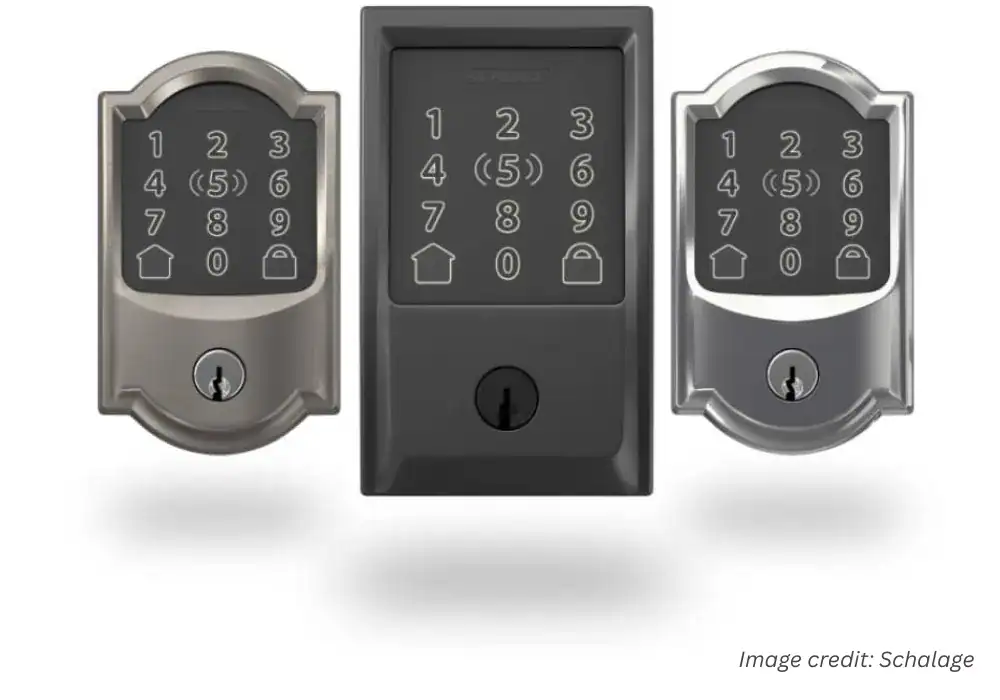
Schlage Encode Plus
Top-tier reliability with seamless Apple Home Key integration. Peace of Mind. It "just works” experience with the ultimate physical key backup.
Pros:
- Apple Home Key is a Game-Changer
- Built Like a Tank
- Multiple Backup Plans
- Trusted, Household Name
Cons:
- Premium Price Tag
- Potential Weather Sensitivity
- Requires a Strong Wi-Fi Signal
As an Amazon Associate, I earn from qualifying purchases. When you buy through my links, I may earn a commission — at no extra cost to you.
Why We Picked It
Top-tier reliability with seamless Apple Home Key integration. Peace of Mind. It "just works” experience with the ultimate physical key backup.
Who It's For
Apple users who want a trusted, traditional brand.
Specs & Configuration
Remote Access – Lock or unlock your door from anywhere via the app.;
App Control – Manage users, check activity, and receive alerts from your phone.;
Schedule Codes – Create and manage up to 100 custom entry codes.;
Smart Home Ready – Compatible with major smart home systems.;
Voice Control – Works with supported voice assistants for hands-free use.;
Built-in Alarm – Detects tampering or forced entry attempts.;
Battery Operated (No Hardwiring) – Runs on batteries;
easy to install and maintain.
Table Summary: Detailed comparison of Schlage Encode Plus strengths and weaknesses — premium reliability with a few connectivity trade-offs.
2. Yale Assure 2 (Keypad + Smart Module)
When you’re done, check this out — Yale vs Schlage Comparison
Yale sits in this interesting middle ground:
not as pretty as Level, not as heavy-duty as Schlage…
but the undisputed king of keypads.
👍 Why people choose Yale:
- Best keypad experience on the market
- Very reliable locking motor
- Slim exterior — visible, but tasteful
- Works with multiple ecosystems (Thread / Wi-Fi / Z-Wave modules)
- You can disable Auto-Unlock and still have full convenience
❌ Why some avoid Yale:
- No Apple Home Key
- More “smart lock looking”
- Must choose the right module (and hope you don’t order the wrong one)
- Battery life varies drastically based on the module
😎 Who it’s for:
Families who rely on access codes, households with rotating guests, or anyone who prefers keypad-first convenience over invisible design.
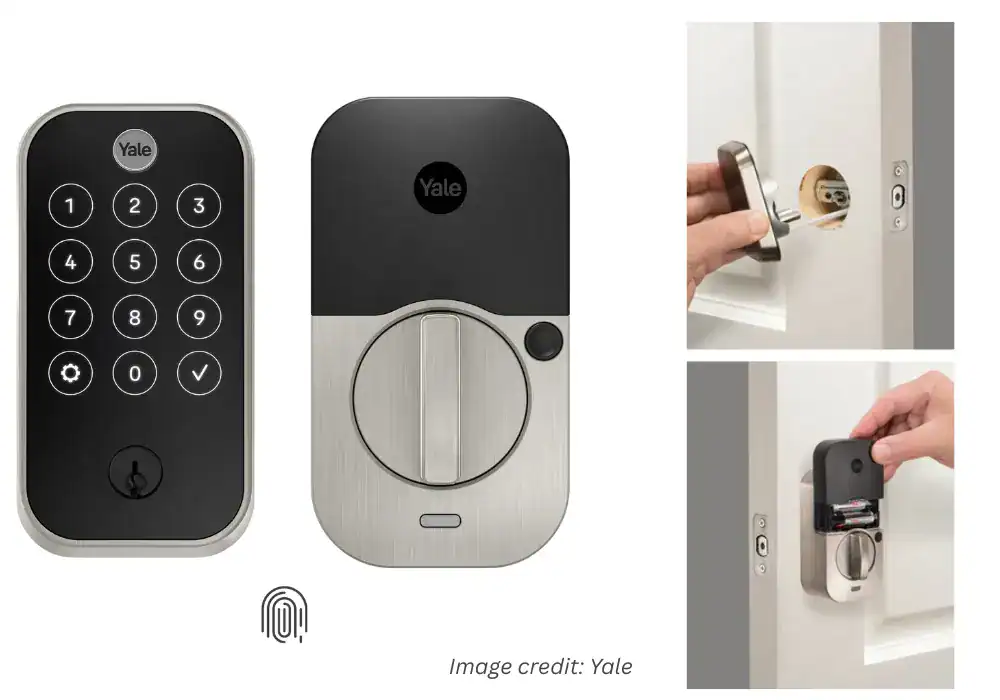
Yale Assure Lock 2 Touch
Ease of use and straightforward installation process. Many appreciate the sleek design and the convenient keypad, along with the added security features.
Pros:
- Sleek Invisible Design
- Apple HomeKit Ready
- Strong Build Quality
- Auto-Lock & Geo-Fence
- Excellent Support
Cons:
- Unreliable Touch Unlock
- Installation Sensitivity
- High Price Point.
As an Amazon Associate, I earn from qualifying purchases. When you buy through my links, I may earn a commission — at no extra cost to you.
Why We Picked It
Ease of use and straightforward installation process. Many appreciate the sleek design and the convenient keypad, along with the added security features.
Who It's For
Perfect for anyone who wants something affordable, dependable, and easy to install.
Specs & Configuration
Table Summary: Pros and cons summary of the Yale Assure Lock 2 Touch — sleek design and Apple integration balanced by reliability issues.
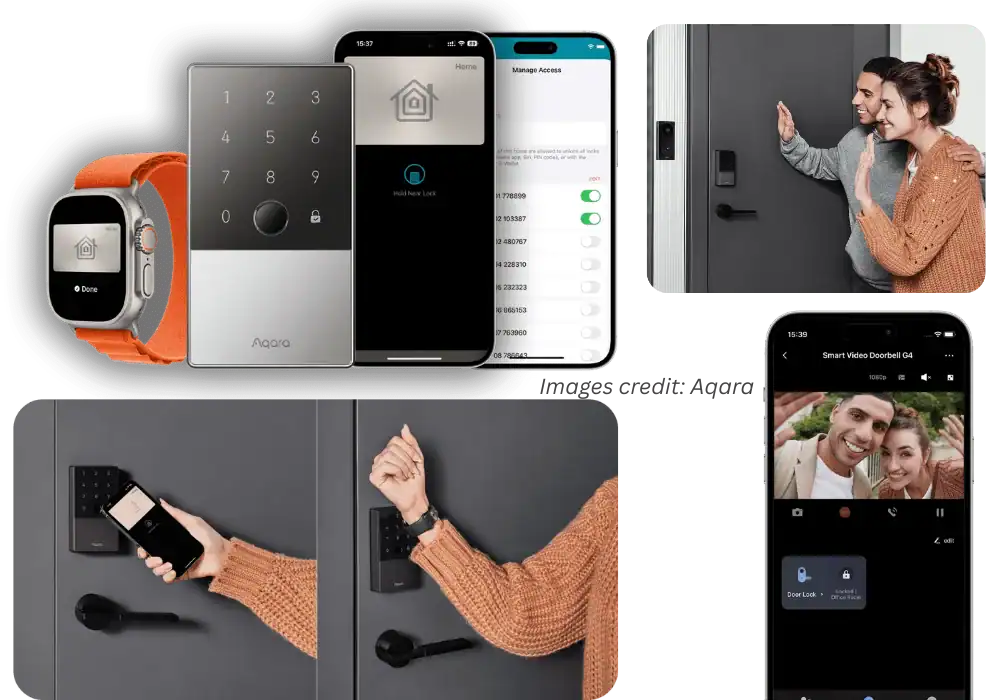
3. Aqara U100
Let me be blunt: The U100 surprised everyone.
It’s inexpensive, reliable, and offers something Level doesn’t have at all:
Fingerprint unlock.
❤️ Why people love Aqara U100:
- Fingerprint + keypad + Apple Home Key
- Shockingly reliable for the price
- Works beautifully with HomeKit and the Aqara ecosystem
- Uses AA batteries — cheap and everywhere
- Best price-to-features ratio of the group
🤬 Why people walk away from it:
- Not sleek
- Noticeably bulkier inside the door
- Build quality isn’t at Schlage levels
- Setup takes time
- The app ecosystem feels “techy,” not simple
😎 Who it’s for:
Anyone who wants maximum functionality for the lowest price — and doesn’t care whether the lock disappears visually.
Aqara Smart Lock U100
It delivers rare versatility for its price — combining Apple Home Key, fingerprint access, keypad entry, and solid build quality in one sleek device.
Pros:
- Fast Fingerprint Reader
- Apple Home Key Ready
- Many Unlock Options
- Solid Build Quality
- Strong Connectivity
- Quick Setup .
Cons:
- Inconsistent Connectivity
- Battery Drain in Harsh Weather
- App & Support Frustrations .
As an Amazon Associate, I earn from qualifying purchases. When you buy through my links, I may earn a commission — at no extra cost to you.
Why We Picked It
It delivers rare versatility for its price — combining Apple Home Key, fingerprint access, keypad entry, and solid build quality in one sleek device.
Who It's For
Perfect for Apple users and busy families who want multiple secure, convenient ways to unlock their door — from fingerprints to iPhones — without dealing with complex setups or overpriced hardware.
Specs & Configuration
Fingerprint and More Ways to Unlock;
Automations with Aqara and Third-Party Devices;
Auto Lock &
Do Not Disturb Mode;
A Durable and Secure Biometric door Lock with Long Battery Life;
Table Summary: Detailed summary of Aqara U100 performance — versatile, well-built smart lock with value pricing and limited weather resilience.
FAQ — Real Questions People Actually Ask
These aren’t manufacturer talking points. These are the real anxieties people post online at midnight before making a decision.
- Will the Level Lock+ lock me out if the battery dies?
No.
You still have a physical key.
Worst-case scenario: old-school metal saves your night. - Does Home Key work even if my phone is dead?
Yes.
That’s the magic of NFC — it works even with a dead phone battery. - Is the battery life actually bad?
It depends entirely on your door.
Perfectly aligned = great battery life.
Sticky door = battery becomes dramatic. - Do I need a bridge or hub?
For Home Key: no.
For HomeKit automations: yes — a HomePod or Apple TV. - Can I use Level Lock+ without an iPhone?
Technically, yes.
Realistically?
You’d be paying for features you can’t use.
It becomes an expensive regular smart lock. - Is it safe? Can someone hack it?
Level’s Bluetooth + NFC combo has fewer attack points than Wi-Fi locks.
Ironically, the lack of built-in Wi-Fi — often a criticism — is part of what makes it safer. - Is it worth upgrading from Level Bolt?
Only if you want Home Key.
If you don’t, the Bolt is still one of the best “invisible” smart lock options ever made. - Is it good for Airbnb?
Honestly?
No.
Guests + NFC-only access = support headaches.
Use a keypad lock for Airbnb.
Pros & Cons about Level Lock+ Review
This is the part where everything settles.
Where emotion meets logic.
Where all the stories, fears, frustrations, and those tiny moments of relief finally line up and make sense.
So here’s the breakdown I wish someone had given me — simple, honest, and real. No hype. No sugarcoating. Just the truth of living with this lock.
(The quick, scannable reality check.)
| 👍 Pros | 👎 Cons |
|---|---|
| Apple Home Key feels genuinely life-changing — real key-free living, even with a dead phone. | CR2 batteries — pricier, harder to find, and drain fast if your door isn’t aligned. |
| Invisible design — the only smart lock that doesn’t look like a smart lock. | Bluetooth mood swings — not terrible, but noticeable. |
| Super quiet motor — soft, elegant, instinctively premium. | HomeKit “No Response” ghosts — the universal HomeKit ache. |
| Physical key backup — essential for peace of mind. | No keypad — dealbreaker for families and Airbnb. |
| Simple installation (if your door is aligned). | Door alignment is everything — even slight resistance affects performance. |
| No bulky keypad or Wi-Fi box — true minimalism. | Not for Android users — you lose the feature that makes it special. |
| Strong build quality — metal, not toy-like plastic. | |
| Fewer attack points — no Wi-Fi means less exposure. |
❤️ What I Love | 💔 What I Don’t Love | 🎯 Who It’s For
| ❤️ What I Love | 💔 What I Don’t Love | 🎯 Who It’s For |
|---|---|---|
| The “tap with Apple Watch → soft click → door opens” moment feels personal and effortless — like the house recognizes you. | CR2 batteries drain fast if your door isn’t aligned, and they’re not always easy to find. | Someone who loves clean, minimalist design. |
| It visually disappears — no bulky keypad, no giant tech box on the door. | Bluetooth inconsistencies. Some days it hesitates just enough to be annoying. | Apple ecosystem users (iPhone + Apple Watch). |
| Quiet, subtle, almost invisible smart-home convenience. | No keypad — a dealbreaker for families, kids, or Airbnb. | People who want tech that stays invisible and out of the way. |
| It feels like luxury without drawing attention to itself. | Anyone who wants NFC Home Key as their primary unlock method. | |
| Users who prefer simplicity over feature overload. |
🛒 Buy If… | 🚫 Skip If…
| 🛒 Buy If… | 🚫 Skip If… |
|---|---|
| You’re an iPhone or Apple Watch user. | Your door sticks, swells, or drags. |
| Home Key is the feature you’ve been dreaming of. | You need a keypad for kids, guests, or Airbnb. |
| Your door is aligned and closes smoothly. | You want Wi-Fi remote access built in. |
| You want a smart lock that looks normal but works smarter. | Your HomeKit setup is already unstable. |
| You want true key-free living without PIN codes. | You’re on Android (really — skip). |
| You prefer quiet, elegant tech that doesn’t draw attention. |
My Verdict
When I first installed the Level Lock+, I was nervous.
Invisible smart locks create invisible anxiety.
But after a few days — tapping my watch, hearing that soft click, walking inside without thinking — something shifted. It stopped feeling like a gadget and started feeling like a small piece of calm added to my day.
Simple, quiet, predictable calm.
Is it perfect? No.
Does it try to do everything? Absolutely not.
But what it chooses to do — invisibility, elegance, Home Key convenience, Apple-first design — it does with real confidence.
For the right person, it’s not just a good lock.
It’s the right lock that matters more than anything.
And if you’re anything like me, this lock won’t just fit your routine — it’ll become part of the calm you feel coming home.