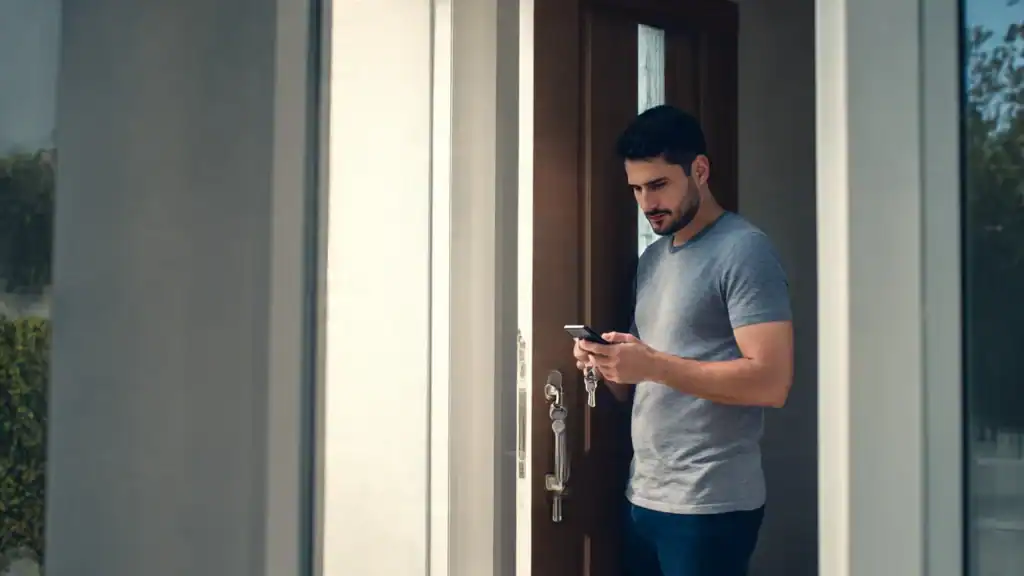
The Best Smart Locks That Work with Apple HomeKit & Home Key (An Honest, No-BS Guide)

You’d be shocked at how different “smart” locks really are once you live with them.

Rafa SantosBy Rafa Santos | Updated on NOV 30, 2025

Contents

That Little Black Box in Your Pocket Holds the Key to Everything… So Why is Your Front Door Still Living in the 19th Century?

I’ve got a confession. For the longest time, I was living in this weird tech paradox. My iPhone could order a pizza, summon a car out of thin air, and manage my entire financial life.
I could even turn off a lamp from 3,000 miles away.

But then I’d get to my own front door.

Juggling groceries, fumbling in the dark, I was still hunting for a tiny, jagged piece of metal like some kind of medieval peasant.

It just felt… dumb.

So, I decided to fix it. Just like you, I dove headfirst into the rabbit hole of smart locks that work with Apple HomeKit.
I mean, I’m all-in on Apple.

My iPhone is my command center, my Watch is basically a part of my body. The thought of going for a run with just my Watch and tapping my way back into the house?
That wasn’t just a cool feature. That was the entire point.

But that initial excitement? It faded. Fast. It was replaced by a wave of pure anxiety.

The more I read, the more I realized the real challenge wasn’t finding a lock that talked to my phone.
The real fear was swapping a dead-simple, always-works key for a $300 gadget that could just… die.

What if the battery gives out in a damn rainstorm?
What if the Wi-Fi gets flaky?
What if “HomeKit compatible” is just marketing-speak for “works 70% of the time, if you hold it right”?

I spent hours scrolling through Reddit, reading absolute horror stories of people getting locked out, locks eating batteries for breakfast, and general smart-home-turned-dumb-home chaos.

And that’s why this guide exists.

This isn’t another soulless “Top 10” list. This is the roadmap of my obsessive journey.
I’m here to share what I found in the trenches, cut through the marketing BS, and help you find a lock that actually brings you peace of mind.

We’re going to zero in on the best smart locks with Apple Home Key—that’s the real magic—and other rock-solid HomeKit options.
I’ll get brutally honest about battery life, day-to-day reliability, and which ones are actually worth your hard-earned cash.

Let’s together finally turn that anxiety into confidence and make your front door as smart as the rest of your life.

I test every smart lock for what truly matters:

Smart lock quality badge showing verified testing

QUALITY

Trophy icon representing smart lock reliability and performance

RELIABILITY

User feedback and thumbs up symbol for real-world smart lock value

REAL-WORLD VALUE

Top Picks Overview

Schlage Encode Plus
Best Overal

Schlage Encode Plus

The Rock-Solid Workhorse
Aqara Smart Lock U100
Best Multi-Unlock Smart Lock

Aqara Smart Lock U100

The “Everything Door Lock” for Apple Lovers
Level Bolt
Best Invisible Smart Lock

Level Bolt

The "Invisible" Tech Choice
Yale Assure Lock 2 Plus
Best for Apple Home Users

Yale Assure Lock 2 Plus

Seamless, Secure, and Effortlessly Smart
August Wi-Fi Smart Lock
Best Retrofit Smart Lock

August Wi-Fi Smart Lock

The Ultimate Host's Lock
Kwikset Premis SmartCode 270
Best for Apple HomeKit Homes

Kwikset Premis SmartCode 270

The Seamless Smart Lock for Apple Users

Other cool articles I made for you:
1. Best Smart Locks of 2026 — Tested for Reliability, Security & Real-Life Use
2. Schlage vs Yale (2026): Which Legacy Lock Brand Makes the Best Smart Lock
3. Are Smart Locks Safe? A Realistic Look at Hacking, Break-Ins, and Your Real-Life Security
4. Schlage Encode Plus Home Key Review 2026: Why I Still Call It the Most Reliable Smart Lock for Apple Users 

HomeKit vs. Home Key: Let’s Break Down What Actually Matters

Okay, before we get into the actual locks, we gotta clear something up.
You’re going to see two terms thrown around everywhere: HomeKit and Home Key.

Trust me, I got them twisted at first, too.

But knowing the difference is probably the single most important thing to avoid buying the wrong lock. It’s the difference between getting a car with a key fob and getting one that unlocks itself when you touch the handle.

Both are good. One is life-changing.

So, What’s HomeKit? Think of It as Your Home’s Command Center.

In the simplest terms, HomeKit is Apple’s universal remote for your house. When a lock boasts that it’s “HomeKit compatible,” it means it speaks Apple’s language. You can:

  • Control it from the Home App: Lock and unlock your door right from that “Home” app that’s already on your iPhone. Finally, you can delete that one random manufacturer’s app you downloaded.

  • Boss Siri around: Walk in with armloads of groceries and just yell, “Hey Siri, unlock the front door.”

  • Make your house run itself: Set up automations, like a “Goodnight” scene that locks the door, kills the lights, and tweaks the thermostat with one tap.

HomeKit is the table stakes. It’s the baseline for any smart device that wants to play nice in Apple’s world. It’s solid, it’s reliable… but it’s not the magic.

What’s Apple Home Key? This is the Magic.

Now, forget the app. Forget Siri.

Picture this: You get back from a run, totally wiped, carrying nothing but your Apple Watch.

You don’t dig for a phone. You don’t punch in a code.
You just lift your wrist, tap the lock, and hear that beautiful, satisfying thunk-click.

You’re in.

That’s Apple Home Key.

It’s a feature that tucks a secure, digital copy of your house key right into your Apple Wallet, living alongside your credit cards. It’s not an app; it’s part of the phone’s core.

Why is this a total game-changer?

  1. It’s just… faster. It’s the most frictionless, thought-free way to get in your house. Period. It even has a “Power Reserve” mode, so it works for a few hours after your iPhone battery dies. Insane.

  2. Sharing is simple. Need to give a key to your partner? A family member? Just text it to them via iMessage. You can even limit when their key works.

  3. It feels like the future. This was the moment the whole “smart home” thing finally clicked for me. The tech just disappeared.

Look, when I started this whole quest, I figured HomeKit was all I needed.
But once I got what Home Key was all about, it became a dealbreaker.
It’s the difference between a lock that’s smart and a lock that feels like magic.

And the locks that are truly worth talking about? They’re the ones that deliver this experience.

The 3 “What If” Questions That Almost Scared Me Off

Getting hyped about the magic of Home Key was the easy part. But then came the late-night doomscrolling. The “what if” scenarios.

I’d be lying in bed, staring at the ceiling, just picturing all the ways this grand experiment could blow up in my face. My biggest fear wasn’t about wasting a few hundred bucks. It was about trading a simple, reliable piece of metal for a brand-new source of daily anxiety.

Before I could even think about picking a lock, I had to shut down these three nagging questions for good.

Question 1: “Yeah, but what if the battery dies?”

This was my personal nightmare.

I had this crystal-clear image of myself stranded on my own porch in a biblical downpour, my $300 “smart” lock now just a very expensive, very dumb brick.

What good is a keyless future if it locks you out of your own house?

The Answer I Found: Backup plans have backup plans. And not all batteries are created equal.

First off, the good lock companies know this is our collective freak-out, so they build in layers of redundancy.

Feature How It Keeps You Secure
The Keypad Nearly every solid smart lock includes a keypad. If your watch or phone dies, you can still punch in your code and unlock the door — no need for a key or app.
The Old-School Key Most models still have a physical keyhole. It’s the ultimate failsafe for emergencies. Any lock without a backup key option is generally a risky choice.
The Nagging Warnings Smart locks won’t let you get caught off guard. They’ll warn you through notifications, blinking lights, or app alerts weeks before the batteries run out.

Table Summary: This table provides a clear descriptive overview of essential smart lock features and how each one contributes to user security and fail-safe reliability.

But the real secret to killer battery life is a word you need to burn into your brain: Thread.

I found out that locks using Thread (a low-power network for smart devices) can last for months, even a year. Locks that connect directly to your power-hungry Wi-Fi?
They can chew through batteries in a fraction of that time. That discovery was a huge “aha!” moment.

Question 2: “Is it actually safe? Can some kid in a hoodie hack my door?”

My brain immediately jumped to a bad spy movie: some hacker in a sketchy van across the street, furiously typing, and then click… my front door just swings open.

Is that a real thing?

The Answer I Found: A burglar is infinitely more likely to just break a window.

Here’s the deal: the security baked into Apple’s HomeKit is no joke. The chatter between your phone, your hub, and your lock is wrapped in layers of end-to-end encryption. It’s seriously tough stuff.

Could some state-sponsored super-spy with a billion-dollar budget theoretically crack it? I mean, maybe?

But in the real world we all live in, your digital deadbolt is way, way harder to defeat than a standard lock is to pick.
The actual threats to our homes are usually a lot less high-tech.

Exactly, this is a perfect moment to share my thoughts about ‘Are smart locks really safe?‘, just take a look.

3: “Do I really need a ‘hub’? And what the hell is Thread?”

This was, hands down, the most confusing part of the whole journey. Forums and reviews were throwing around “hub,” “bridge,” and “Thread” like everyone was born knowing what they meant. It felt like I needed an engineering degree just to figure out how to unlock my own door.

The Answer I Found: It’s way simpler than it sounds. And it’s the absolute key to a system that doesn’t suck.

Here’s the no-BS breakdown:

  1. Hub (or “Home Hub”) is just the brain of your smart home. The great news? If you have a newer Apple TV or any HomePod, you already have one. Done. It’s what lets you control your stuff when you’re not home.

  2. Thread is a VIP lane for your smart gadgets. Your Wi-Fi is a busy public road, trying to handle Netflix, your laptop, your phone, everything. Thread creates a private, super-fast, low-energy highway just for your smart devices to talk to each other.

And here’s the bottom line: You want a lock that uses Thread.
It’s the secret sauce for that insane battery life and near-instant response time. To use Thread, you just need a Thread-enabled hub (like that HomePod Mini or Apple TV).

Once I got that, the fog cleared. I realized a reliable smart lock wasn’t just about the lock. It was about building this simple, solid foundation.

With those fears finally put to bed, I was ready to actually look at the hardware.

The Best Smart Locks for HomeKit & Home Key: My Honest-to-God Breakdown

Okay, now for the main event. After all that research, the late-night Reddit rabbit holes, and comparing what felt like a million different locks, I landed on 3 clear winners.

Here’s the thing, though.
They’re all fantastic, but they are absolutely for different kinds of people.

I’m not about to just dump a list of specs on you.
I’m going to tell you the story of each lock and who I’d personally recommend it to.

1. Schlage Encode Plus™: The Rock-Solid, “Sleep-Well-at-Night” Choice

Let’s just be real for a second. When your company has been making locks for over 100 years, you probably know a thing or two about keeping a door securely shut. And you feel that history the second you pull the Schlage Encode Plus out of the box.

This thing is a beast. It’s heavy, it’s made of serious metal, and it feels less like a tech gadget and more like you’re upgrading the security of a bank vault.

This is my hands-down pick for “Best Overall” because it’s one of the few locks that truly nails the balance between old-school, brute-force security and smart features that actually make your life less annoying.

The “Oh, I Get It Now” Moment

The real magic here, the thing that made me go “Oh, I get it now,” is the Apple Home Key integration.

Imagine this: You get home from a run, totally gassed, carrying nothing but your Apple Watch. You just tap your watch on the lock. You hear that solid, satisfying thunk-click. And you’re in.

No phone. No code. Nothing.

That is what smart living is supposed to feel like. It’s not a gimmick. It’s a straight-up lifestyle upgrade if you’re living in Apple’s world.

Person unlocking a Schlage Encode Plus smart lock using an Apple Watch at night, showing Apple Home Key convenience and secure access.
Unlocking the Schlage Encode Plus with just an Apple Watch — the simplest, most secure “welcome home” you can imagine.

But what really sold me was how Schlage seemed to read my mind about my biggest fear: getting locked out. They built this thing with a backup plan for the backup plan.

Your “Locked Out” Anxiety Checklist: SOLVED

✅ Watch or iPhone dies? No sweat. Use the keypad.

✅ Forget the code? Who hasn’t? Use the Home App on another device.

✅ Apocalypse happens? Power’s out, internet’s dead? The good old-fashioned key still works. You are never getting locked out.

It’s like they built a lock specifically to shut up that little anxious voice in the back of my head.

Check my blogpost about Schlage vs Yale: Which Legacy Lock Brand Makes the Best Smart Lock?

But Let’s Be Real…

Look, no product is perfect. I have to be straight with you.
While the overwhelming majority of people say this lock is bulletproof, I did dig up some complaints. A small but vocal group of users have had the electronics fail, especially in places that get slammed with brutal cold or swampy humidity.

Schlage’s warranty is solid, but it’s something to keep in mind. If your front door is totally exposed to the elements, you might want to look at my “All-Weather” pick later.

And yeah, this thing will make your wallet a little lighter. It’s an investment, for sure.

My Verdict:

So who is this for? I see the Schlage Encode Plus for the person who’s like me—you’re done with keys, you’re an Apple user, and you see this as a permanent home upgrade, not a disposable gadget.

You’re buying into a century of trust and getting the most seamless, “it just works” experience I’ve found.

If you’re willing to pay for that peace of mind, this is the one. End of story.

Schlage Encode Plus

Schlage Encode Plus

Top-tier reliability with seamless Apple Home Key integration. Peace of Mind. It "just works” experience with the ultimate physical key backup.

Pros

  • Apple Home Key is a Game-Changer
  • Built Like a Tank
  • Multiple Backup Plans
  • Trusted, Household Name

Cons

  • Premium Price Tag
  • Potential Weather Sensitivity
  • Requires a Strong Wi-Fi Signal

Table Summary: Detailed comparison of Schlage Encode Plus strengths and weaknesses — premium reliability with a few connectivity trade-offs.

2. Aqara U100: The “Swiss Army Knife” for the Gadget Lover

Okay, so if the Schlage is the dependable, old-school Ford F-150, the Aqara U100 is the tricked-out, imported sports car with a million cool buttons. When I first stumbled on this thing, my immediate reaction was, “Wait a minute…

it does all that for that price?”

This lock is for the person whose brain is wired to think, “If I’m gonna get a smart lock, I want every conceivable way to get into my house.”
It’s a totally different vibe from Schlage, and honestly, it’s a crazy compelling one.

More Ways In Than a Secret Agent

Sure, the Aqara U100 has fantastic Apple Home Key support. That’s a given. But that’s just where the party starts.

What really makes this thing a standout is the fingerprint reader. And I’m not exaggerating when I say it is shockingly fast and dead-on accurate.

My mind immediately went to my kids. Or friends staying over. Instead of fumbling with a code or needing a phone, they just use their thumb. Boom.
It’s arguably even faster than using a watch, and it’s a solution that anyone, of any age, gets in about two seconds.

Experience the Aqara U100’s Apple Home Key magic — unlock your door instantly with your iPhone or Apple Watch.
Aqara U100 smart lock unlocking with Apple Home Key — seamless access via iPhone or Apple Watch.

But they didn’t stop there. It’s almost comical how many ways you can get into this thing:

  1. Apple Home Key (The tap-and-go good stuff)
  2.  Fingerprint (Wicked fast and perfect for guests/kids)
  3.  Passcodes on the keypad (you can even set temporary ones for the dog walker)
  4. Little NFC cards you can hand out
  5. The Aqara App (if you’re into that)
  6. …and yep, a physical key, tucked away behind a slick little sliding cover.

It is a frankly insane amount of flexibility for one device.

So, What’s the Catch? You Gotta Join the Club.

Alright, there’s always a catch. With the U100, it’s this: to get that buttery-smooth, lightning-fast performance everyone raves about, you really need to get an Aqara Hub.

Now, it can connect directly to your Apple Home Hub.
But after digging through tons of user reports, the consensus is clear: it’s just way more stable and responsive when it’s talking to its own mothership (like the Aqara Hub M3 or E1).

For some people, that’s a dealbreaker.
“Another hub? No thanks.”

But for others, it’s a gateway drug. Aqara has a whole universe of awesome, affordable smart sensors, and this hub is how you get in.

One other thing to know: the key cylinder isn’t a standard Schlage or Kwikset. Translation? You can’t just have a locksmith re-key it to match your other house keys. You’ll have a unique key for this one door. For me, not a big deal. For a one-key-to-rule-them-all purist, it could be a major headache.

One other thing to know:
the key cylinder isn’t a standard Schlage or Kwikset.

Translation?

You can’t just have a locksmith re-key it to match your other house keys. You’ll have a unique key for this one door.
For me, not a big deal. For a one-key-to-rule-them-all purist, it could be a major headache.

My Verdict:

The Aqara U100 is for the tech-savvy pragmatist. The person who loves features, lives for a good deal, and thinks a fingerprint reader is just plain cool. You’re not scared of adding a tiny hub to your network to make things run perfectly, and you’ll take innovation over a legacy brand name any day.

If you want the most feature-packed, versatile Home Key lock out there for a price that feels like a steal, this is an absolute no-brainer.

Aqara Smart Lock U100

Aqara Smart Lock U100

It delivers rare versatility for its price — combining Apple Home Key, fingerprint access, keypad entry, and solid build quality in one sleek device.

Pros

  • Fast Fingerprint Reader
  • Apple Home Key Ready
  • Many Unlock Options
  • Solid Build Quality
  • Strong Connectivity
  • Quick Setup .

Cons

  • Inconsistent Connectivity
  • Battery Drain in Harsh Weather
  • App & Support Frustrations .

I independently test and review smart home products. When you buy through my links, I may earn a commission — at no extra cost to you. As an Amazon Associate, I earn from qualifying purchases.

Why We Picked It

It delivers rare versatility for its price — combining Apple Home Key, fingerprint access, keypad entry, and solid build quality in one sleek device.

Who It’s For

Perfect for Apple users and busy families who want multiple secure, convenient ways to unlock their door — from fingerprints to iPhones — without dealing with complex setups or overpriced hardware.

Specs & Configuration
Apple Home and Home Key Support;
Fingerprint and More Ways to Unlock;

Automations with Aqara and Third-Party Devices;

Auto Lock & Do Not Disturb Mode;

A Durable and Secure Biometric door Lock with Long Battery Life;

Table Summary: Overview of Aqara U100 advantages and drawbacks — great connectivity and Home Key support with minor app frustrations.

3. Level Lock+: The “Invisible” Choice for the Style-Obsessed

After looking at the all-business Schlage and the feature-heavy Aqara, I found something else entirely. Something different.

The Level Lock+.

My first thought when I saw it was, “Okay, but where’s the smart lock?”

And that’s the whole point.

The Level Lock+ is for the person who loves technology but hates—and I mean hates—the look of it.
It’s a ridiculously powerful smart lock that’s cleverly disguised as a beautiful, traditional deadbolt.

No clunky keypad. No giant plastic box on your door.

It’s just… a lock.

Stealth-Mode Technology

The absolute genius of the Level Lock+ is that they crammed all the tech—the motor, the battery, the radios—inside the deadbolt mechanism itself. It is completely, utterly hidden inside your door.

For me, this was a profound realization. The thought of ripping out the classic, beautiful hardware on my front door and replacing it with a slab of plastic and rubber buttons?
That was a huge hang-up for me.

Level just erases that problem.

You get to keep the exact aesthetic of your home. You can pair it with any handle, in any finish, from any high-end brand. From the outside, nobody would ever, ever know you have a smart lock.
It is the ultimate stealth upgrade.

Three doors showing how the Level Lock+ hides smart technology inside traditional hardware — maintaining a clean, elegant exterior while offering full Apple Home Key functionality.
Level Lock+ keeps your door looking timeless — smart tech completely hidden inside the deadbolt.

And here’s the kicker: despite its disappearing act, it still packs the most important feature of all: Apple Home Key.

You get that same “tap to open” magic with your iPhone or Watch, just without any of the visual baggage. It’s the best of both worlds.

The High Price of Hiding

So, what do you give up for this gorgeous, invisible design? A couple of things. And they’re big ones.

First, there is no keypad.
This isn’t just a missing feature; it’s a core philosophy.

If your only backup is a physical key, it kinda defeats the purpose of the key-free dream.
If you’re someone who needs to give out codes to a dog walker or contractor, this lock is a non-starter. You have to be 100% all-in on the Apple Home and digital key lifestyle.

Second, the real-world feedback is… let’s just say it’s more passionate.
While tons of users are die-hard fans, my forum-digging turned up more frequent and frustrated complaints about spotty connectivity and disappointing battery life compared to its rivals.

It seems that when you shrink everything down that small, it can get a little finicky, especially if your door alignment isn’t absolutely perfect.

It feels like the price for making the tech invisible is that it’s sometimes less robust than its beefier cousins.

My Verdict:

The Level Lock+ is for the aesthete. The designer. The minimalist.
The person whose home is their sanctuary, where every detail matters.

You’re willing to trade the safety net of a keypad for a lock that blends in seamlessly. You live and breathe the Apple ecosystem and you want the smartest lock that nobody can see.

It’s a stunning piece of engineering that makes one very specific promise: all the smarts, none of the ugly.

If that’s your #1 priority, there is simply no other choice.

Level Bolt

Level Bolt

All the smarts, completely hidden. Keep your home's original look.

Pros

  • A Completely Invisible Design
  • Full Apple Home Key Support
  • Protects Your Home’s Curb Appeal
  • The Ultimate Minimalist Tech

Cons

  • Inconsistent “Touch to Unlock”
  • Mechanical sensitivity and errors
  • Intermittent HomeKit failures
Why We Picked It

All the smarts, completely hidden. Keep your home's original look.

Who It’s For

Design-conscious homeowners who value aesthetics.

Specs & Configuration
Apple HomeKit Compatible – Control your lock with Siri and access from anywhere (requires HomeKit Hub).;
Invisible Installation – Retrofit design fits inside your existing deadbolt, keeping your door’s exterior unchanged.;

Easy Setup – Installs in minutes with just a screwdriver;

fits most standard doors (2-3/8" or 2-3/4").;

Long Battery Life – Hidden CR2 battery delivers over a year of use.;

Auto-Lock & Unlock – Uses geofencing to secure your door automatically when you arrive or leave.;

Secure Construction – 6-stage stainless steel gearbox meets top industry standards.;

Shared Digital Access – Grant and manage keys for family, guests, or service providers via the Level app.

Table Summary: Pros and cons overview of the Level Bolt — emphasizing its invisible minimalist design, Apple Home Key support, and aesthetic appeal.

The Best of the Rest: A Few Other HomeKit Locks Worth Knowing

Look, the Schlage, Aqara, and Level are my top three for a reason. They represent the best of the best for Apple Home Key users.

But my research didn’t stop there.

A few other names kept popping up, and while they didn’t make my main list, one of them might just be the perfect dark horse candidate for you.

Yale Assure Lock 2 Plus

Think of this as Yale’s direct shot at the Schlage Encode Plus.
It comes from another brand that’s been around forever, it has full-blown Apple Home Key support, and I gotta admit, it has a much sleeker, more modern look that might be more your style.

So, why isn’t it in the top 3?

Honestly? Consistency.

While tons of people love their Yale locks, I just stumbled across more complaints about buggy software and finicky connections than I did with Schlage. When it comes to the thing that keeps my house secure, I’m always going to lean towards the one with the more bulletproof reputation.

But if you’re a die-hard Yale fan or you just love the design, it’s a solid contender.

Take a look my Schlage vs. Yale article.

For the Renters: August Wi-Fi Smart Lock

What if you’re renting and your landlord would have a full-blown meltdown if you tried to change the locks?

This is where August swoops in to save the day. It’s a super clever retrofit lock that only replaces the thumb-turn on the inside of your door.

  • The Upside: Installation is a breeze and the outside of your door looks exactly the same. Your original key still works, which keeps the landlord happy. It also plays nice with HomeKit.

  • The Downside: It does not have Apple Home Key. You’re stuck using the Home app or Siri. Also, because it’s working with your existing (and maybe ancient) deadbolt, it can be a bit temperamental. And fair warning: the Wi-Fi models are known to be absolute battery hogs.
August Wi-Fi Smart Lock

August Wi-Fi Smart Lock

Unmatched guest access features and keeps your existing deadbolt.

Pros

  • Unmatched Guest Access
  • Keeps Your Existing Lock
  • Incredibly Easy Installation

Cons

  • Bulky Interior Unit
  • No Built-in Keypad/Fingerprint
  • Auto-Unlock Can Be Finicky
Why We Picked It

Unmatched guest access features and keeps your existing deadbolt.

Who It’s For

Budget-conscious buyers who hate changing batteries.

Specs & Configuration
Apple HomeKit Enabled – Control your lock with Siri using iPhone, Apple Watch, Apple TV, HomePod, or iPad.;
Smart Alerts – Customize notifications to know exactly what matters, when it matters.;

Bank-Grade Security – Features two-factor authentication plus AES 128-bit and TLS encryption.;

Doorbell Camera Integration – Works seamlessly with August Doorbell Cams for live view and remote access.;

Modern, Minimal Design – Fits any home style without changing your door’s exterior hardware.

Table Summary: Pros and cons overview of the August Wi-Fi Smart Lock — known for its easy installation, guest access, and solid app reliability.

For the “I Just Want a Smart Lock That Works” Budget: Kwikset Premis

Let’s say you read all this and thought, “Man, that Home Key ‘tap’ thing is cool, but I’m not paying a premium for it.”

I hear you.

If your main goal is just to get a solid, no-frills deadbolt that works with HomeKit, the Kwikset Premis is a great budget-friendly workhorse. I

t’s been around for a while, it has a keypad, and it connects to HomeKit.
It’s not fancy.
It’s not cutting-edge.

But it gets the job done for a fraction of the cost of the top-shelf models.

Kwikset Premis SmartCode 270

Kwikset Premis SmartCode 270

We chose the Kwikset Premis because it delivers seamless integration with Apple HomeKit, ultra-simple DIY installation, and the trusted SmartKey re-key feature — giving you high-tech convenience without sacrificing lock-brand reliability.

Pros

  • Flawless HomeKit Integration
  • Easy DIY Installation
  • SmartKey Rekeying
  • Multiple Access Options
  • Solid Build & Reliable Performance

Cons

  • Weak App & Updates
  • Battery Drain Issues
  • Frustrating Maintenance
Why We Picked It

We chose the Kwikset Premis because it delivers seamless integration with Apple HomeKit, ultra-simple DIY installation, and the trusted SmartKey re-key feature — giving you high-tech convenience without sacrificing lock-brand reliability.

Who It’s For

This lock is ideal for Apple fans who want a sleek, easy-to-use smart deadbolt that fits into their existing keys and doors — especially families, condos or rentals that value both convenience and premium quality. Select 64 more words to run Humanizer.

Specs & Configuration
Compatibility & Control Apple HomeKit only (iOS 9.3 or later);

Works with Siri voice control;

Remote access via Apple TV (4th gen or later) or HomePod;

Premis App available on the App Store (not compatible with Android);

Security & Build ANSI/BHMA Grade 2 Certified for residential security;

SecureScreen™ Technology – prevents fingerprint code detection;

SmartKey Re-Key Technology (Kwikset KW1 keyway);

Optional Auto-Lock and Tamper Alarm;

Up to 30 custom user codes for family and guests;

Hardware & Installation One-Touch Motorized Deadbolt;

Adjustable backset: 2-3/8" – 2-3/4";

Fits standard door thickness (1-3/8" – 1-3/4");

Runs on 4 AA batteries (approx. 6 months battery life);

DIY installation with animated in-app guide;

Manual key backup included;

Smart Features Lock/unlock with Siri, Premis App or touchscreen code;

Check lock history via Siri or App;

View event log and receive notifications (remotely with Home Hub);

Table Summary: Pros and cons overview of the Kwikset Premis — excellent HomeKit reliability and rekey flexibility with weak app support.

The Final Showdown: A Head-to-Head Comparison

Okay, we’ve been through a ton of details, stories, and my own personal neuroses. To help you see it all in one, super-clear picture, I threw together this final comparison table.

Think of it as the ultimate cheat sheet to help you confirm that gut feeling you have right now. Sometimes just seeing it all laid out, plain and simple, is the last step you need to feel 100% solid in your choice.

Feature Schlage Encode Plus Aqara U100 Level Lock+
The Big Idea The Rock-Solid, “Sleep-Well-at-Night” Choice The “Swiss Army Knife” for the Gadget Lover The “Invisible” Choice for the Style-Obsessed
Apple Home Key? Yes (The gold standard) Yes (And a bunch of other ways to get in) Yes (The main event in a stealthy package)
Keypad? Yes, a great one that’s backlit Yes, built right into the faceplate Nope, and that’s the point
Fingerprint Reader? No Yes, and it’s blazing fast No
Requires a Hub? No (but you need a Home Hub for remote stuff) Recommended (Get the Aqara Hub for best experience) No (but you need a Home Hub for remote stuff)
Build Quality Beast Mode (Feels like it’s built for a bank vault) Good (Feels solid and modern) Excellent (Feels like high-end traditional hardware)
Price Range Premium ($$$) Value ($$) Premium ($$$)
Best For… The person who puts rock-solid reliability and trust above all else. The person who wants the most features and cool tech for their money. The person who puts design and aesthetics above all else. No compromises.
Table Summary: Side-by-side comparison of the Schlage Encode Plus, Aqara U100, and Level Lock+ smart locks — covering Home Key support, keypad, fingerprint access, hub requirements, build quality, and ideal users.

My Final Take: So, Which One Should You Actually Buy?

Alright, we’ve been through it all. The tech specs, the late-night anxiety spirals, the whole nine yards.

After all that, if you and I were just grabbing a coffee and you asked me, “Rafa, for real, just tell me which one to get,” I wouldn’t give you a straight answer.

I’d ask you a question back:

“What’s the one thing you absolutely can’t compromise on?”

Because that’s what it all boils down to. This isn’t really about getting the shiniest new gadget.
It’s about making your life a little less annoying.
It’s about shutting up that little voice in your head that asks, “Wait, did I lock the door?” and finally ending the frantic, pocket-patting search for keys.

So, here’s my brutally honest, final advice. No fluff.
Also, I went hands-on and tested the safest, most reliable smart locks myself — and this Best Smart Locks of 2026 guide is what I found.

If you value “bulletproof reliability and a brand I can trust” above all else…

Just get the Schlage Encode Plus.
Seriously. Don’t overthink it. It’s the “it just works” heavyweight champion.

You’re buying a century of know-how and getting the most seamless Apple Home Key experience out there. It’s the definition of a sleep-well-at-night decision.

If you’re all about “getting the most features and the coolest tech for my money”…

Then the Aqara U100 is your jam. It’s a wild piece of tech that packs an insane punch for the price—Home Key, a killer fingerprint reader, the works.

If you love having options and getting the absolute best bang for your buck, you’ll be obsessed with this lock.

If your mantra is “I will not sacrifice the look of my front door for anything”…

Then the Level Lock+ is the only game in town.
It’s a masterpiece of stealth design. You get the pure magic of Apple Home Key in a lock that no one will ever even know is smart.

It’s a premium choice for people who believe good technology should be invisible. No compromises.

At the end of the day, there’s no single “best” lock. There’s only the best lock for you.

I really hope this whole journey through my research has helped you cut through the marketing garbage and find some real clarity.
The goal was to take that overwhelming “where do I even start?” feeling and turn it into a confident “okay, I know what to do.”

Now you have everything you need to finally make your front door as smart, and as trustworthy, as the rest of your life.

Written by Rafa Santos

Smart Home Enthusiast & Product Researcher

Rafa Santos is the founder of Lock Smart Living, a website dedicated to helping homeowners choose the best smart locks and connected-home products. He analyzes technology trends, compares product features, and curates recommendations based on verified data and expert reviews.

Rafa’s mission is to simplify smart home technology so readers can make confident, informed buying decisions — without the technical overwhelm.

📍 Based in Atlanta, GA — passionate about innovation, learning, and helping families build smarter homes.
Deixe um comentário